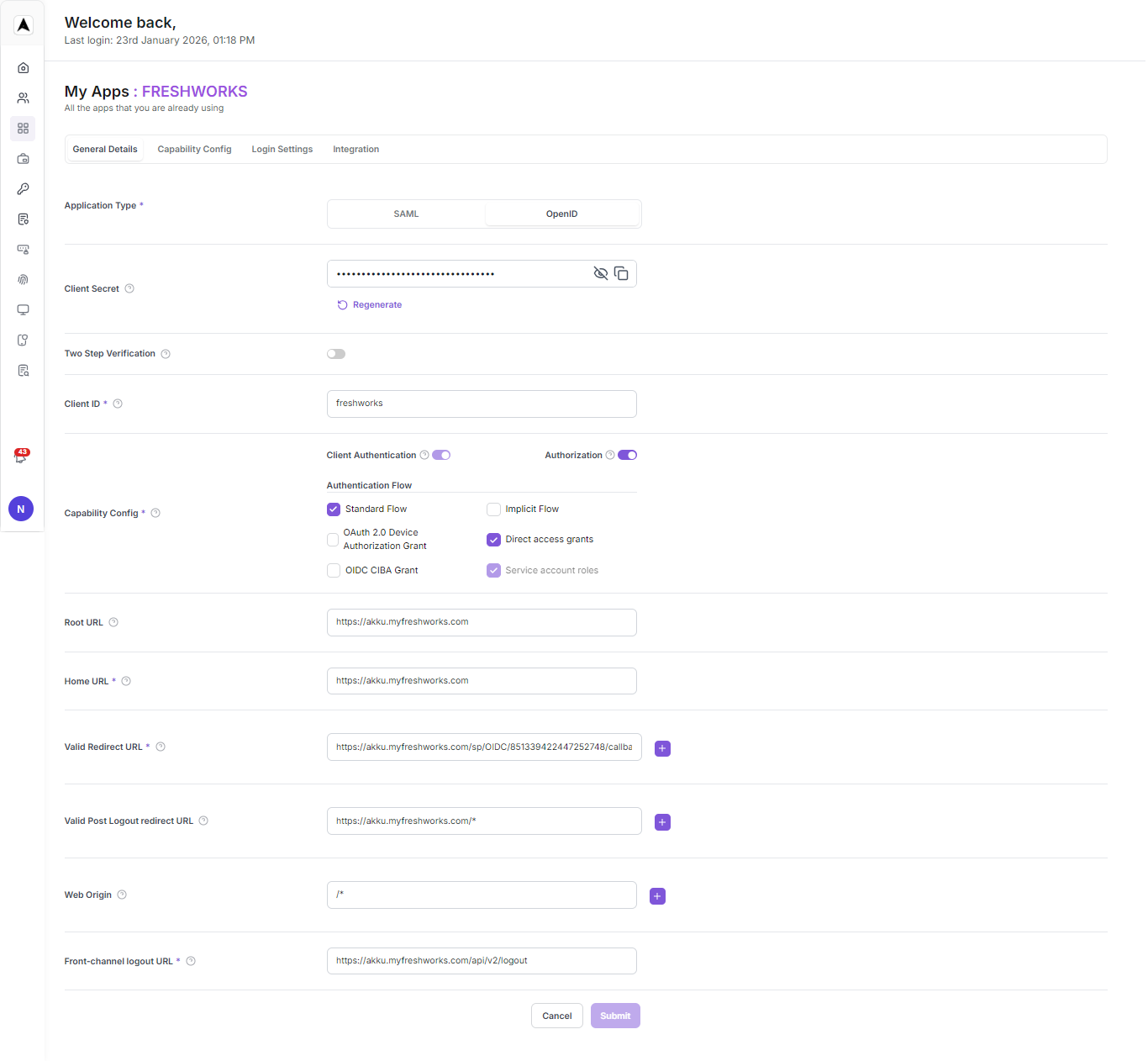
SSO for Freshworks
Overview
Akku, developed by CloudNow Technologies, is a robust Identity & Access Management (IAM) solution designed to streamline user provisioning, access management, and activity monitoring throughout the user lifecycle. It offers administrators the tools to efficiently manage user privileges and ensure data security in cloud environments. With Akku, organizations can confidently embrace cloud technology while maintaining compliance with standards and regulations. Its comprehensive features enable seamless onboarding, secure authentication, a single point-of-access to all applications, enforcement of access policies, and monitoring of user activity to detect and respond to security threats effectively while enhancing the user experience significantly. By prioritizing data security, privacy, and compliance, Akku provides users with peace of mind while improving overall productivity. With its flexible and scalable architecture, Akku is well-equipped to meet the evolving needs of modern organizations in managing their identity and access requirements.
Introduction
Freshworks OpenID with Akku provides a secure and reliable method for authenticating users. To set it up, you'll need a Freshworks account, an Akku account, and the OpenID Integration feature enabled. First, configure your Akku instance by adding the Freshworks OpenID app and specifying the required fields. Then, grant Akku permission to access your Freshworks domain. Next, set up the OpenID request URL and authentication URL in your Akku instance. Finally, test your integration to ensure seamless authentication for your users.
Configure Freshworks Settings on Akku
The steps listed below provide instructions on adding the Application app from the QuickLaunch App Store and configuring SAML SSO to the added Application app
Login to Akku and Generate Metadata
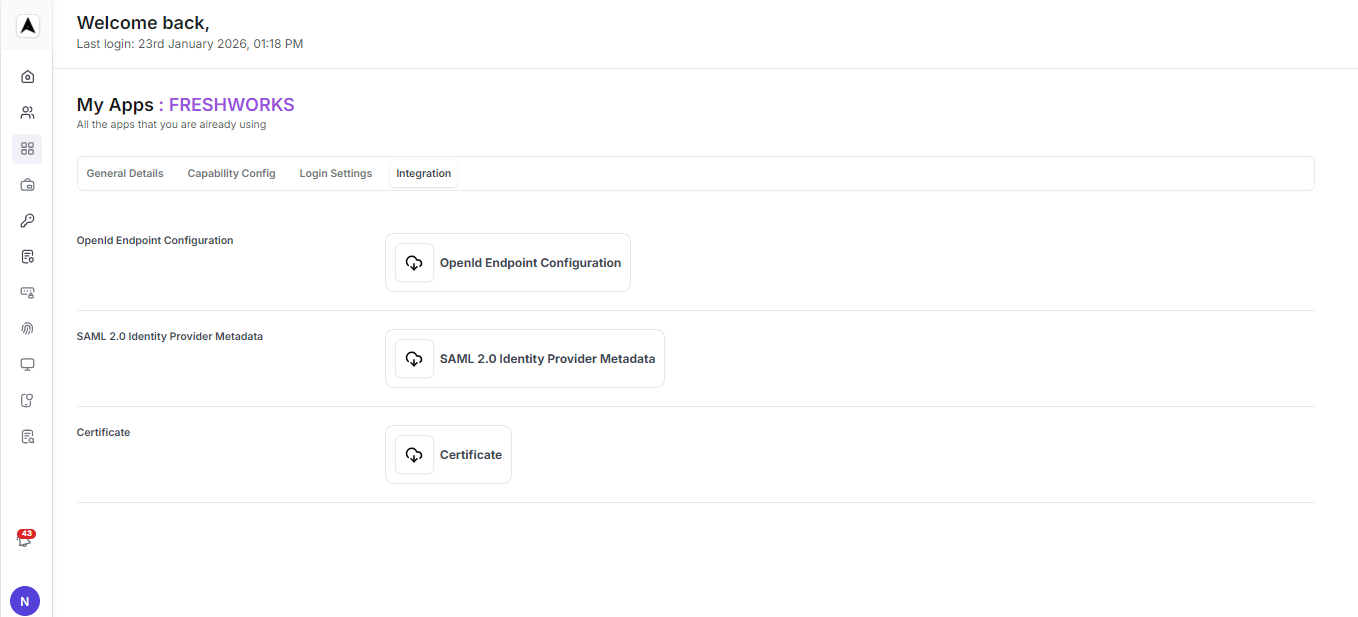
Login to Akku with your admin account, go to "App Management", and generate the metadata file (SAML 2.0 identity provider metadata), which needs to be configured in Freshworks.
Log in to Freshworks
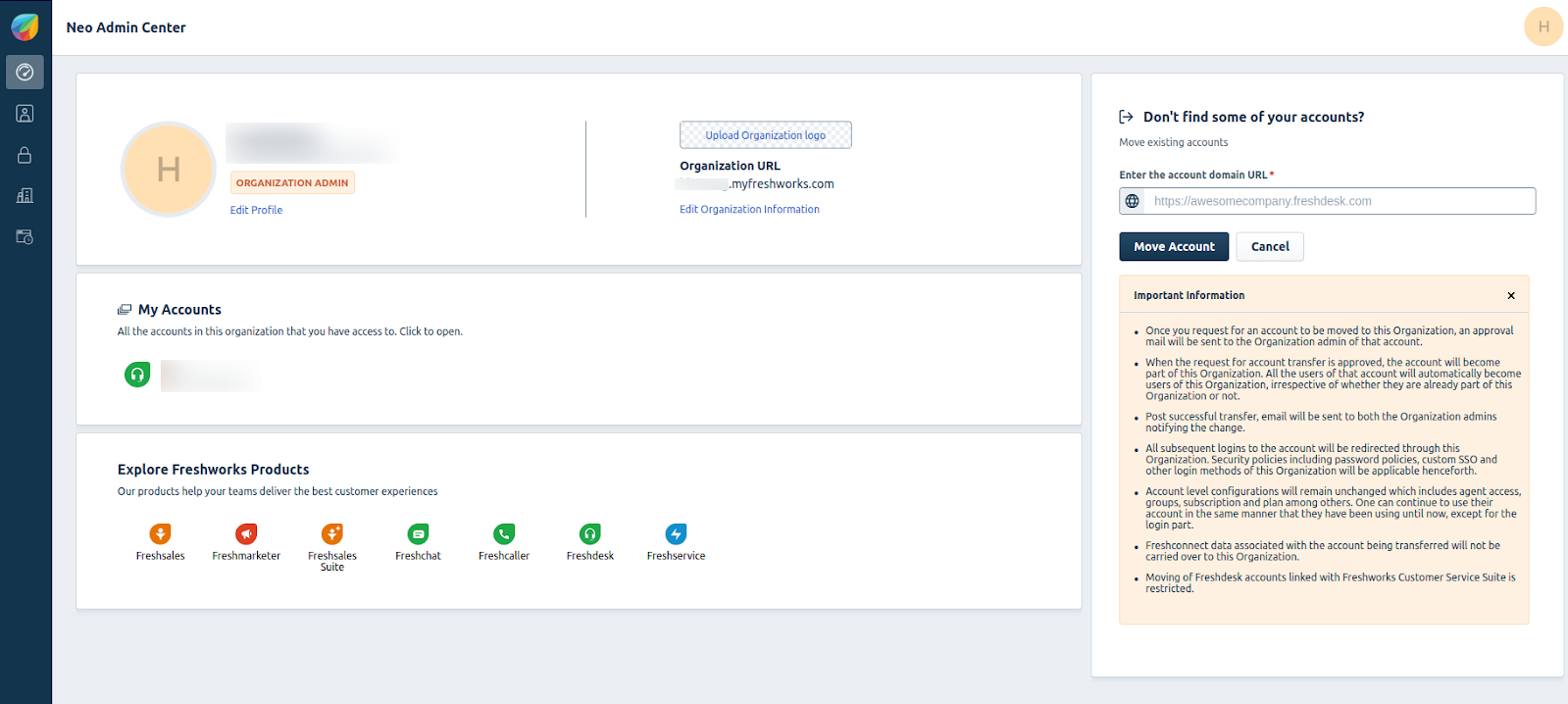
Log in to Freshworks with your admin account: hbx1-org.myfreshworks.com
Navigate to Security Section
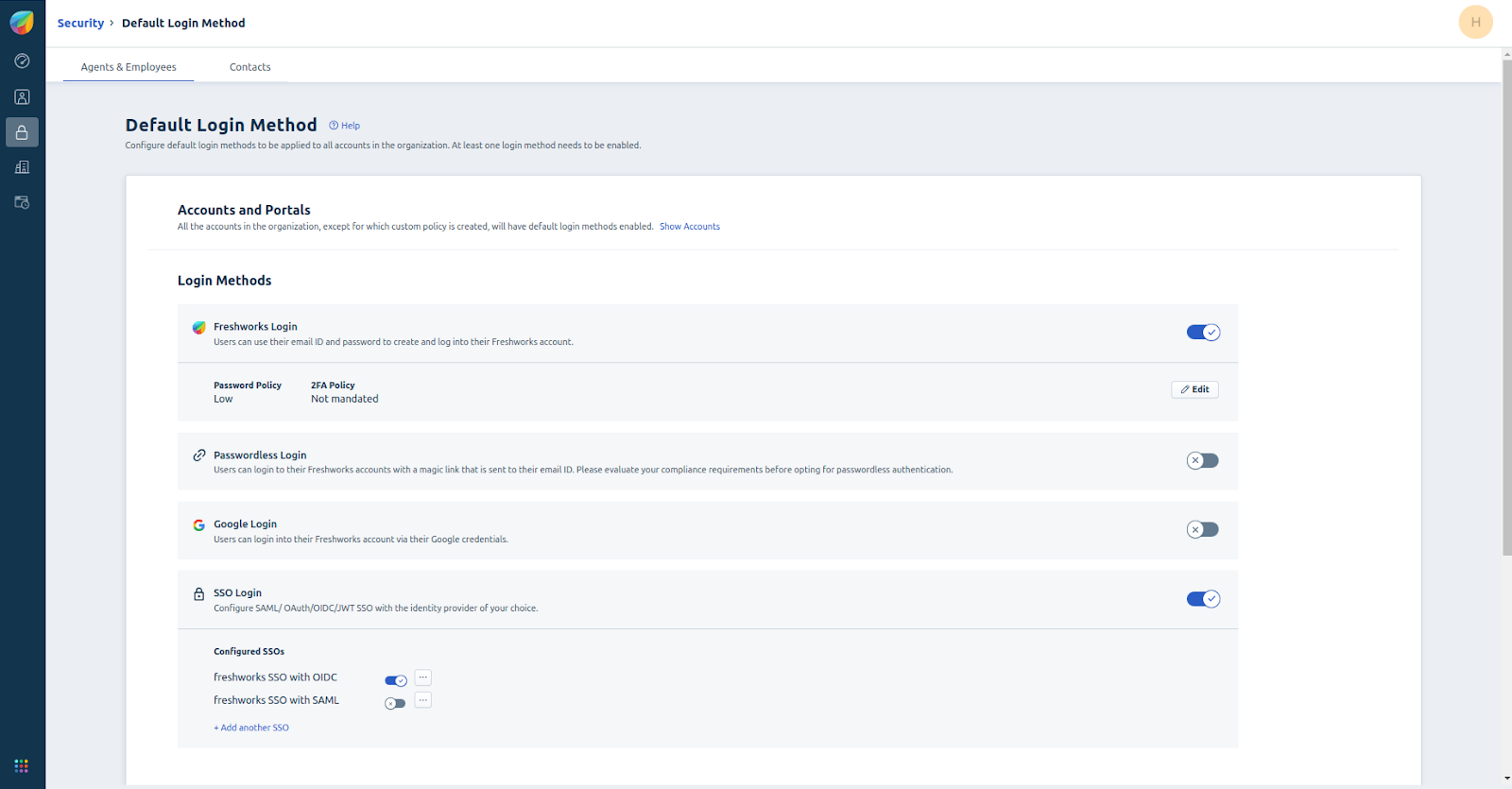
Navigate to the Security section and click on 'Default Login Methods'.
Configure SSO using OpenID
Click on "Add Another SSO" to configure SSO using OpenID. Copy the 'Redirect URL', which needs to be configured on the IDP side (AKKU).
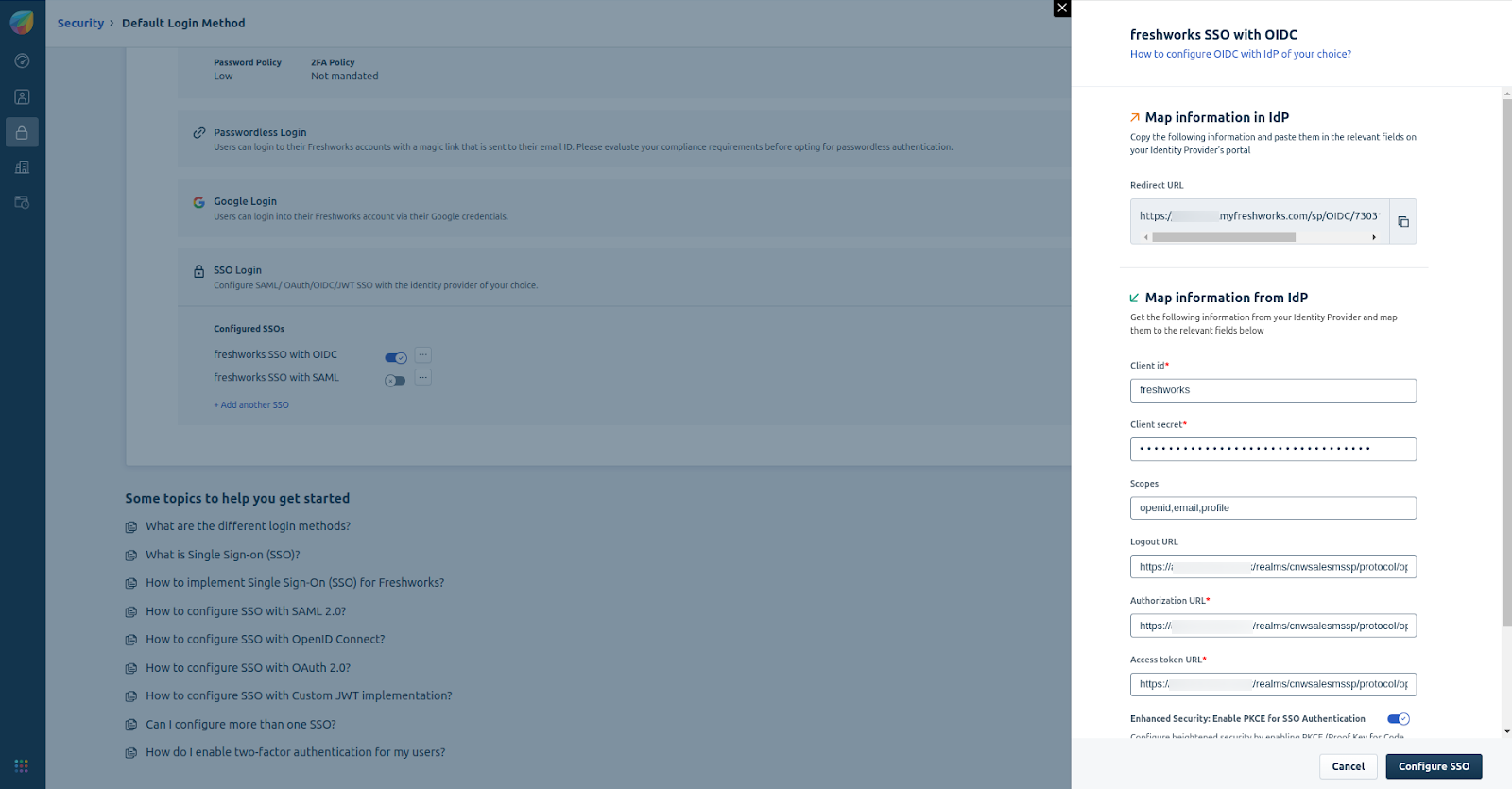
Map Information from IDP
In the 'Map Information from IDP' section, use the information from the IDP's metadata (AKKU).
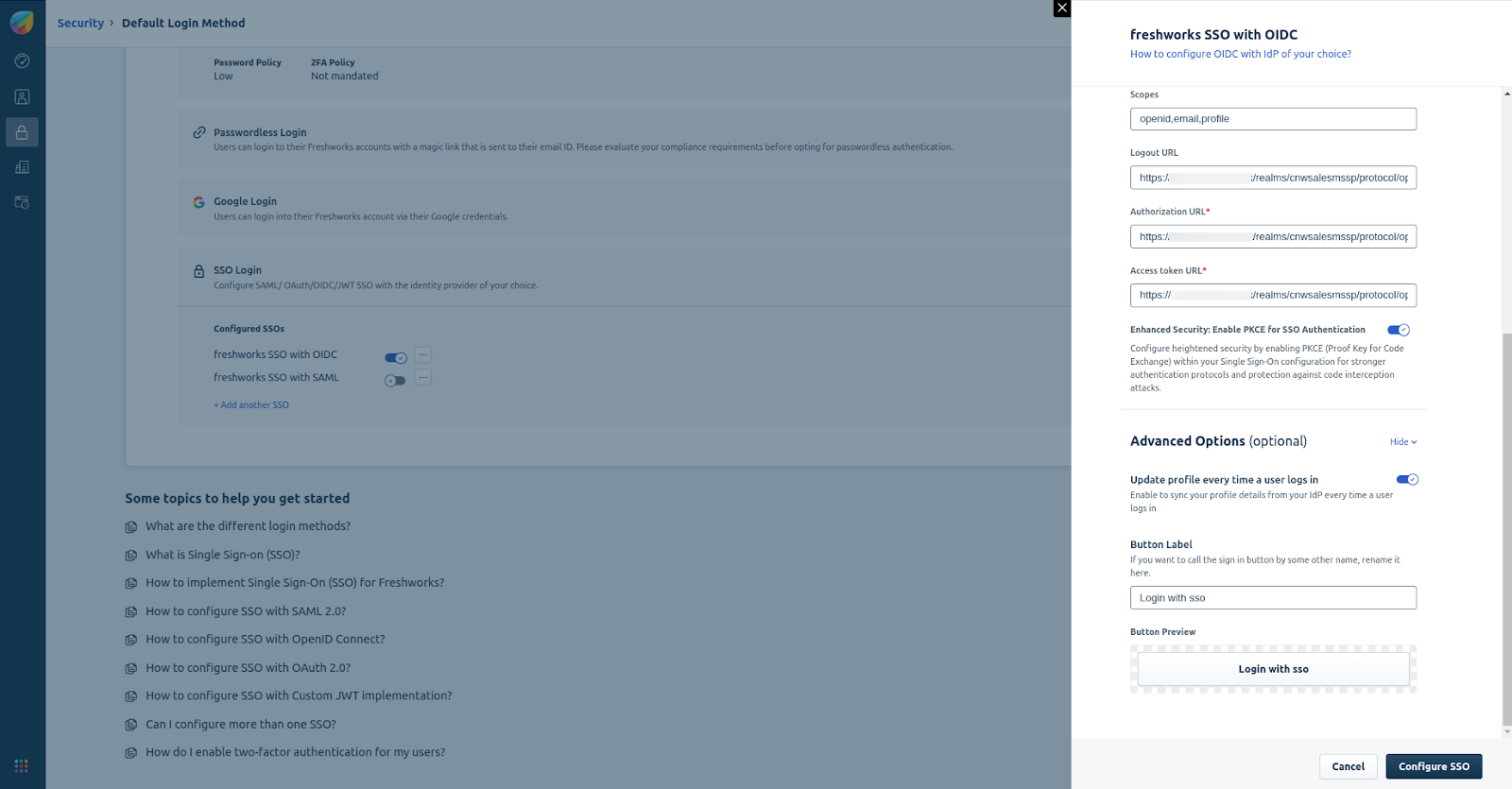
Configure AKKU with Freshworks Details
Back on the IDP side (AKKU), configure the necessary values based on the Freshworks configuration details.